


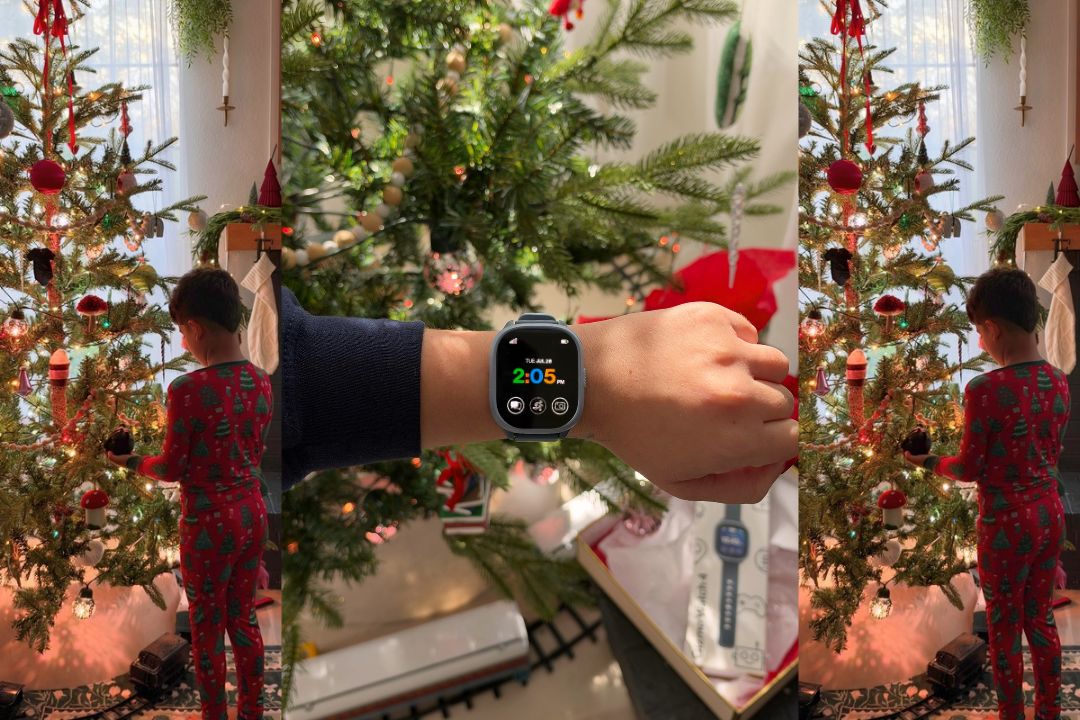
There comes a point in every kid’s life when the silly toys that used to top their wish lists start losing their wow factor, and suddenly, everything needs to feel more grown-up. For kids anywhere from 5 years old to about 8 years old, that might mean wanting their own gadgets, asking for a phone, or eyeing the tech the older kids at school have. And while parents watching their little one grow up is exciting (mostly), handing over a smartphone and everything that comes with it can feel like a pretty big leap.
It’s a funny in-between stage. They’re becoming more independent: riding bikes around the neighborhood, walking to school or sports practice on their own, and heading off to a friend’s house for the afternoon. We want to give them the freedom to explore and build confidence in theory, but that doesn’t mean we’re actually ready in practice.
That’s why we’re making the case for a kids’ smartwatch. It provides a taste of independence that feels like a major milestone to little ones, without introducing all the distractions and unknowns that come with a smartphone. The Verizon Gizmo Watch 4, in particular, strikes a sweet balance between fun, functionality, and parent-approved features. Many of the moms on our team have used Gizmo Watches, and we’re breaking down why it’s been a top gift recommendation for three years running.
What Makes the Gizmo Watch 4 Feel Like a “Real” Device (Without the Smartphone Baggage)
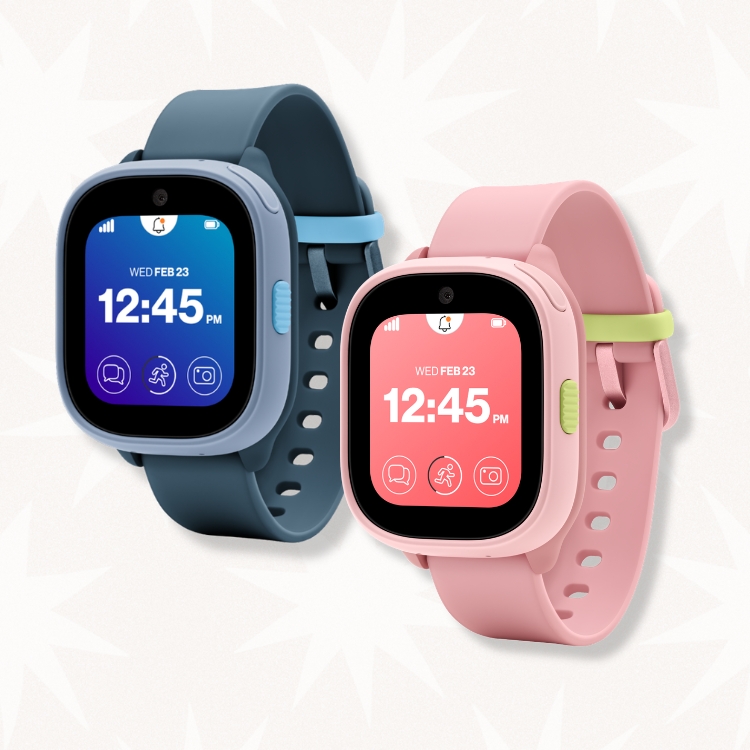
Part of the appeal of a smartwatch is that kids get to have a device of their very own, not borrowing an adult’s or sharing with their sibling. The Gizmo Watch 4 has the look and feel of a big-kid gadget, with a bright 1.6-inch scratch-resistant screen, a durable bumper bezel, and pink or blue colorways. It’s also water-resistant up to 50 meters, so parents don’t have to worry quite as much about everyday splashes, playground adventures, or light dips in the pool.
But the real fun is in what kids can actually do with it. The Gizmo Watch 4 supports two-way voice and video calling, voice notes, and emojis, making it easy for kids to get in touch with the people they love. Video calls are capped at three minutes, which is just enough time for a quick hello or show-and-tell session without turning every call into a lengthy conversation.
There are also plenty of extras that make the watch feel more like a personal gadget than just a way to reach their parents. Kids can track their steps, create to-do lists and reminders, and explore Gizmo Ask & Learn—a parent-enabled, AI-powered tool that lets them ask questions about subjects like math, science, and history. It’s a fun way to encourage curiosity without handing over access to an open search engine.
And maybe most importantly, the Gizmo Watch 4 doesn’t come with the stress-inducing add-ons of a smartphone. There are no social media apps, no endless scrolling, and no unfiltered web browsing. Kids can enjoy having their own technology while parents can supervise what kids access, making it a solid middle ground for little ones’ first step into the big tech world.
How Our Editors Actually Use It
Of course, a kids’ smartwatch sounds great in theory, but how does it actually fit into everyday family life? We asked two of our editors who gifted their own kids a Gizmo Watch 4 to share how it’s become part of their routines. From neighborhood playtime to busy after-school schedules, here’s how it shaped up:
Ally, mom of a 6- and 7-year-old: More freedom around the neighborhood
As kids get older, the radius of their little world gets bigger. A bike ride with neighborhood friends or a walk to the bus stop might not seem like a huge milestone to an adult, but for a young kid, these everyday moments can feel like a big step toward growing up.
For Ally, whose kids are 6 and 7, the Gizmo watch has been especially helpful as they start enjoying more independence around the neighborhood. Instead of checking in constantly, she can use the real-time GPS tracking feature in the Verizon Family app to see where the watch is. She can also set up GPS Safe Zones, which send notifications when her kids arrive at or leave designated places, like school or a nearby park.
Kids get to enjoy the excitement of having more freedom, while parents have an easy way to stay in the loop without hovering over every outing. It’s less about tracking their every move and more about having reassurance as they learn to navigate the world on their own.
Steph, mom of a 4- and 6-year-old: Staying connected through the busy days
For Steph, mom of a 4- and 6-year-old, the biggest benefit has been how easily the watch fits into the family’s busy routine. Between school pickups, playdates, and the general logistics of keeping up with two little ones, having another way to stay connected can be a huge helping hand.
Her kids also love being able to call extended family on their own. Whether it’s video calling long-distance family members or sending silly emojis to their Abu, the watch gives them the chance to initiate those conversations themselves. And because parents can approve up to 40 contacts, there’s no need to worry about unknown numbers or random callers getting through.
Battery life is another helpful detail for families constantly on the go. The Gizmo Watch 4 offers up to 36 hours of active usage, making it easier to get through busy days without constantly thinking about the next charge. For Steph, it’s those simple everyday conveniences, along with the ability to keep family members connected, that make the watch a fun but still practical addition to the kids’ routines.
READ MORE: The Best Holiday Gifts for Kids That Aren’t Toys (But Will Still Get Them Excited!)
The Parental Features That Matter Most
The Gizmo Watch 4’s fun features are what kids will be the most excited about, but it’s the parental controls that make this a better alternative to a smartphone. A few features worth knowing about:
- One central hub: The Verizon Family app brings everything together in one place, including location tracking, contact management, schedules, and GPS Safe Zones. The app’s parental management features are available at no additional app subscription cost.
- A curated contact list: Parents can approve up to 40 contacts who are allowed to call, message, or video chat with their child. That means kids can stay connected to their favorite people without being exposed to strangers or unwanted calls.
- Watch removal detection: If the watch is taken off, parents receive an alert on their phone. It’s a helpful feature for those moments when a watch goes missing at recess or mysteriously ends up at the bottom of a backpack.
- School Mode: Parents can schedule School Mode remotely to limit games and interactive features during the school day. The watch essentially becomes a simple timekeeping device, while the SOS button remains available for emergencies.
- An emergency backup: The dedicated SOS button allows kids to quickly contact preset emergency contacts when they need help. It’s an added layer of reassurance for parents as their kids start spending more time away from them.
Together, these features make the watch feel less like handing a child a big, overwhelming new tech device and more like giving them a carefully managed way to stay connected. Parents can adjust the settings as their kids grow, too, which makes it a gift that’s useful well beyond the hype of Christmas morning.
Tips for Gifting a Kids Smartwatch (So It Doesn’t Become a Power Struggle)
Like any new piece of technology, a smartwatch comes with a learning curve. Make the transition easier for everyone so the excitement doesn’t turn into a battle over screen time.
Set it up before wrapping
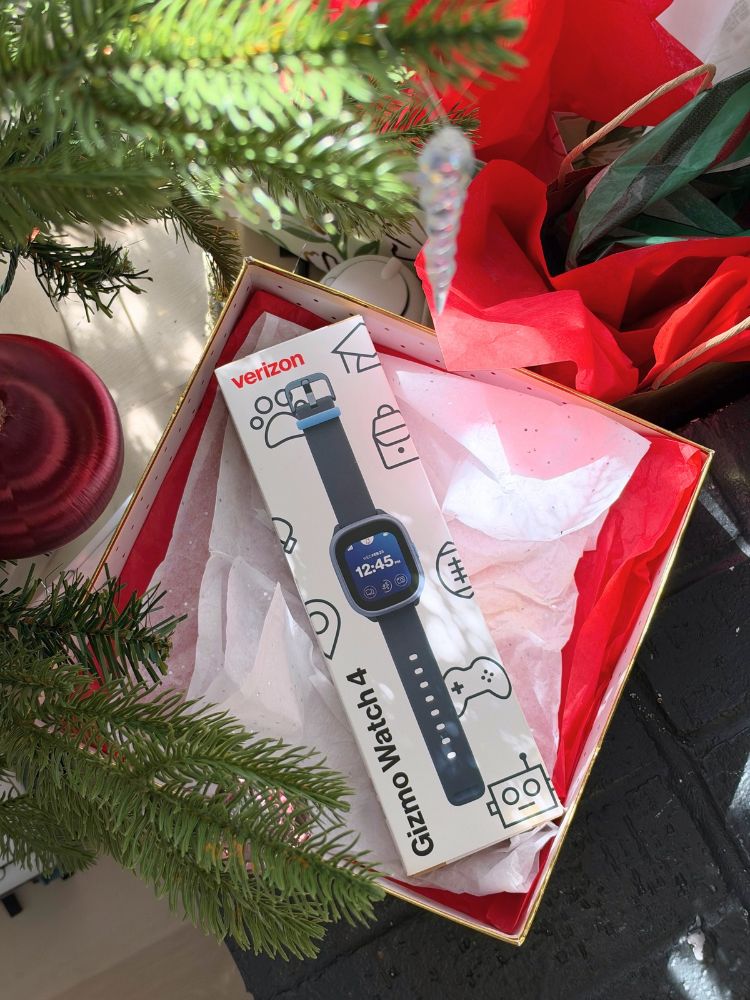
Nothing kills the excitement of a new gift quite like having to spend the first hour figuring out how to turn it on. Download the Verizon Family app, pair the watch, and add approved contacts ahead of time so it’s ready to go when your kid unwraps it. Having familiar people like parents, grandparents, and other family members already saved makes it easier to set the precedent of who they’re meant to have contact with.
Establish a few watch rules together
Even though a smartwatch is a lot more limited than a smartphone, it’s still helpful to set expectations from the beginning. Decide where the watch should charge overnight (a designated spot on the kitchen counter or mom’s dresser works well) and talk about when it should be put away, like during family dinners or other device-free moments. Getting kids involved in these conversations can help them feel a sense of responsibility for their new gadget.
Practice a test call
Before the first solo bike ride or walk to a friend’s house, spend time exploring the watch together. Let your kid practice making a call, sending a voice note, or using an emoji. A few minutes of experimenting from the comfort of the living room can help them feel more confident using it when they actually need it.
A Little Independence Goes a Long Way
One day, they’re asking for help with every little thing, and the next, they’re ready to walk into practice all on their own while you hang back in the parking lot. It’s natural to want to encourage that growing independence while still wishing you could keep them small for just a bit longer. The Gizmo Watch 4 makes navigating that in-between stage easier. It’s the type of gift that meets kids where they are right now, while giving them more room to grow.

McKenna Pringle, Assistant Editor of Branded Content
As the Assistant Editor of Branded Content, McKenna collaborates with our sales team by creating both written and social media content, collecting and analyzing performance data to report back to our partners, and assisting our editors with their everyday tasks to ensure a smooth and productive process.
This post is sponsored by the Verizon, but all of the opinions within are those of The Everymom editorial board. We only feature brands we genuinely love.
