This post is sponsored by Extra but all of the opinions within are those of The Everymom editorial board. We only recommend products we genuinely love.
Moms Juggle Way Too Much—This Digital ‘Mother’s Helper’ Tool Is Saving Me From Burnout
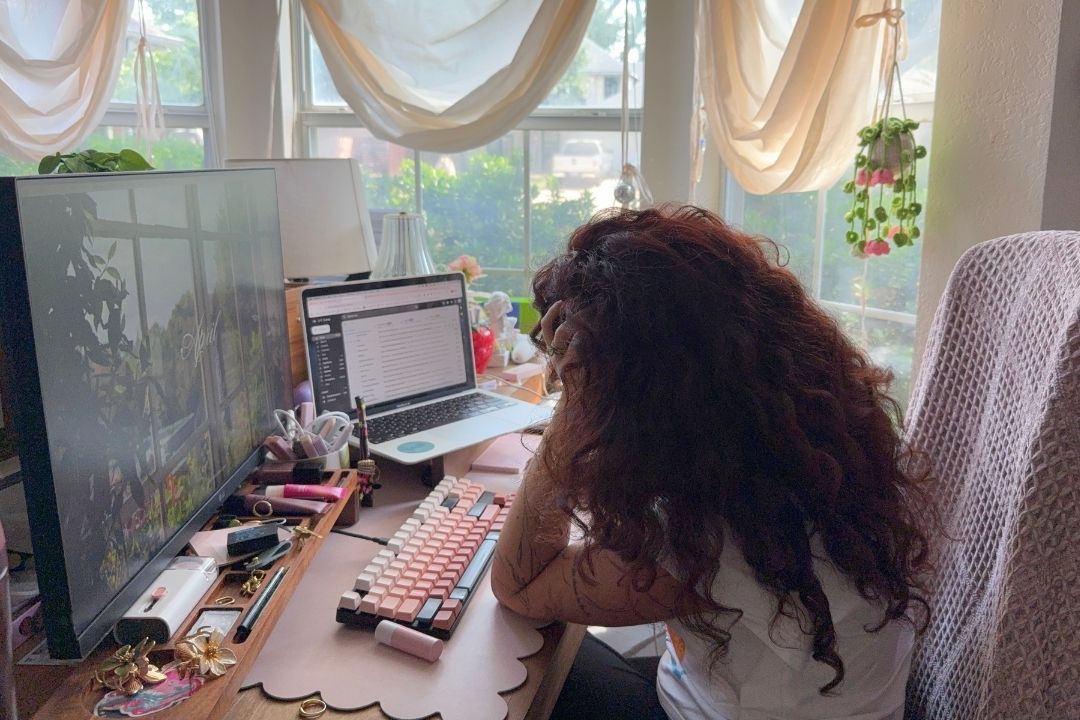
I don’t know one mom who hasn’t had that moment of panic—the one where you realize you missed the spirit week email, or completely overlooked a pediatrician confirmation because it was buried under a flood of promotional emails. It’s not just the tasks that feel overwhelming, but rather the constant mental sorting that comes with them. Every day, I’m scanning, filtering, and trying to make sure nothing important slips through the cracks. It’s invisible work, but it’s exhausting.
That’s exactly why discovering the Extra app felt like finding a digital “mother’s helper.” It’s not another thing to manage, but rather something that actually helps manage my busy life. And honestly, it’s made a noticeable difference in reducing the mom mental load. Here’s the breakdown of how my little digital assistant works:
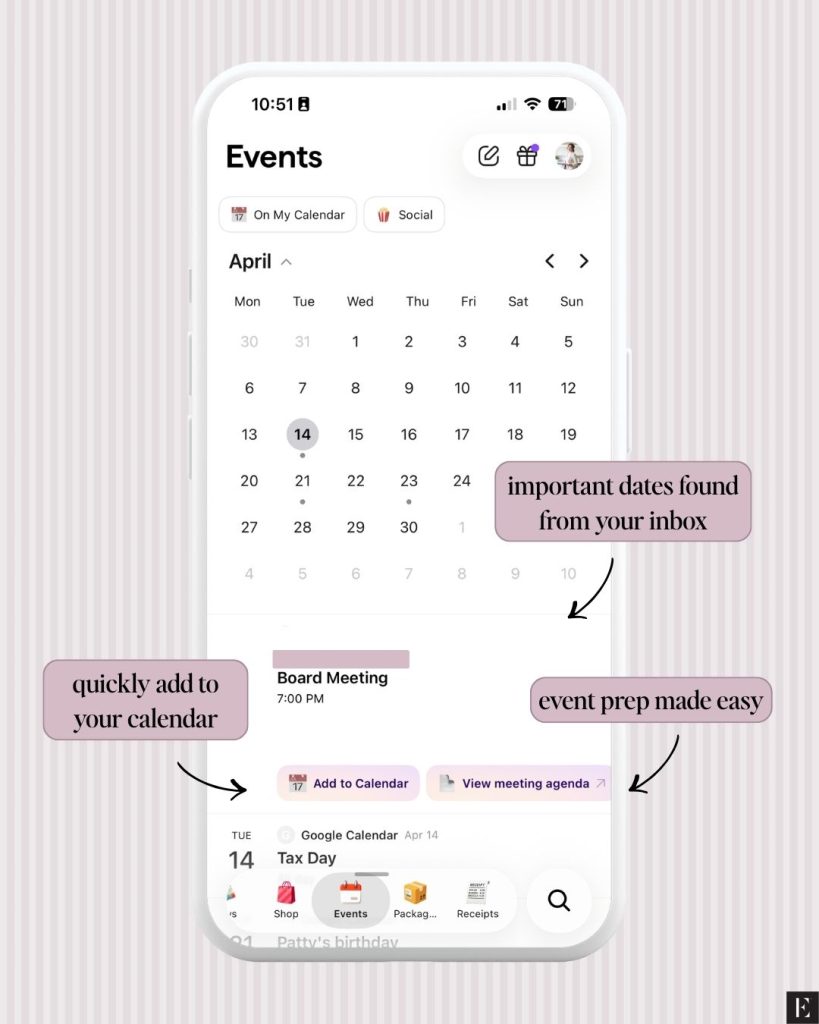
The quick (and pretty cool) backstory: Extra was created by the minds behind Pinterest, and you can feel that thoughtful, design-forward approach the second you open it. Instead of a traditional inbox filled with endless subject lines, Extra connects to your Gmail accounts and completely reimagines the experience. It automatically sorts your emails, highlights what actually matters, and surfaces anything that needs your attention without you having to lift a finger.
At a glance, it helps you:
Organize emails into smart categories automatically
Surface important messages (like school or medical updates)
Cut through the noise of promotions and clutter
You can even connect multiple accounts, which makes managing personal, work, and family logistics feel way more streamlined and less “Wait, which email did that confirmation go to?”
Top ways the Extra app makes mom life 10x easier
Cleans up your inbox (fast)
Before using Extra, my inbox was literally out of control. I had thousands of unread emails—most of them from brands I hadn’t shopped at in years—and they were completely burying the messages I actually needed to see. The Unsubscribe tool was the first feature I used, and it was so satisfying. Within minutes, I cleared out hundreds of emails and instantly felt lighter. It gave me the same sense of relief as cleaning out an overstuffed closet, but with a much bigger impact on my day-to-day stress and on reducing my mental load.
Provides you with a daily briefing
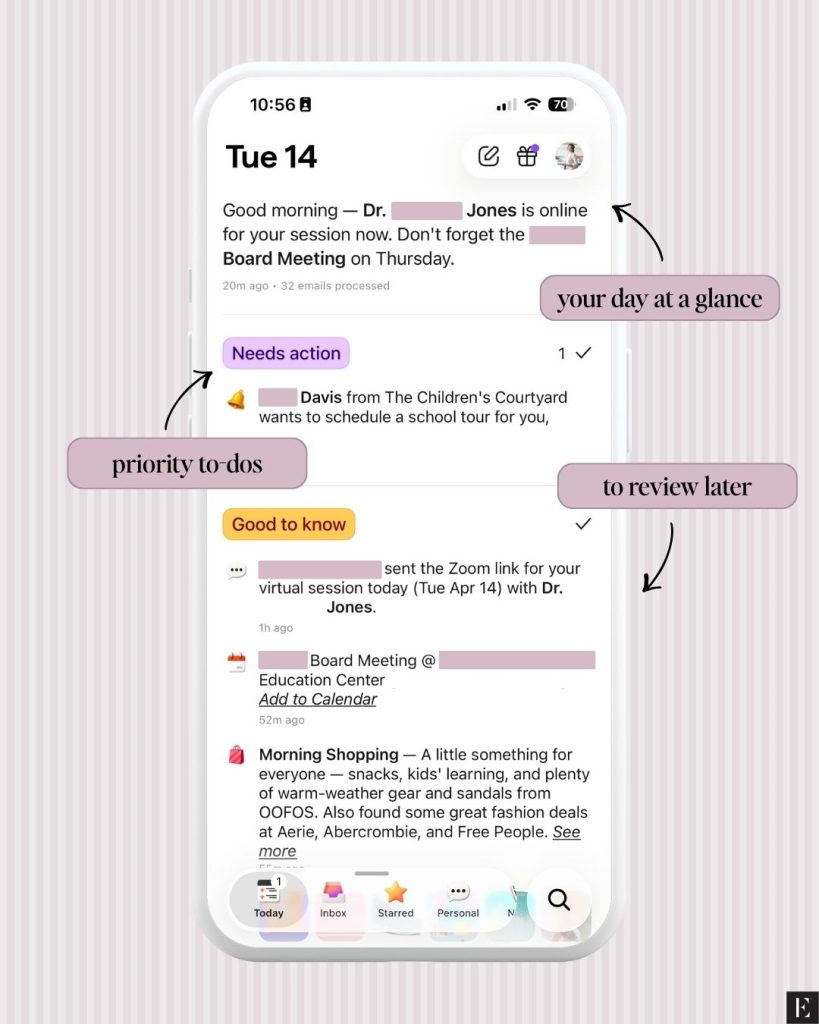
Catching up on emails and notifications after school drop-off used to feel like an emergency room triage. I’d open my inbox and immediately feel behind, scrolling and scanning, hoping I didn’t miss something important. Now, I start with the Today Tab, and it completely shifts how my mornings feel.
Instead of digging, the Today Tabgrabs my most important emails and shows me a quick snapshot of:
Urgent appointments waiting for confirmations, upcoming events that need an RSVP, or emails I should follow up on soon
Timely events happening that day, like virtual doctor visits, kids’ sporting events, or a parent-teacher meeting
Important information from my favorite publications, an upcoming sale at my favorite retailer, or if a package has been delayed
My emails are presented in a clean, easy-to-digest format, so I can get up to speed in under a minute. It genuinely feels like a “daily briefing” that helps me start the day calm, focused, and not already playing catch-up.
One of my biggest frustrations used to be searching for something specific and getting completely lost in irrelevant results. I’d type in a keyword and somehow end up with hundreds of emails that didn’t help at all.
Extra fixes that in two key ways:
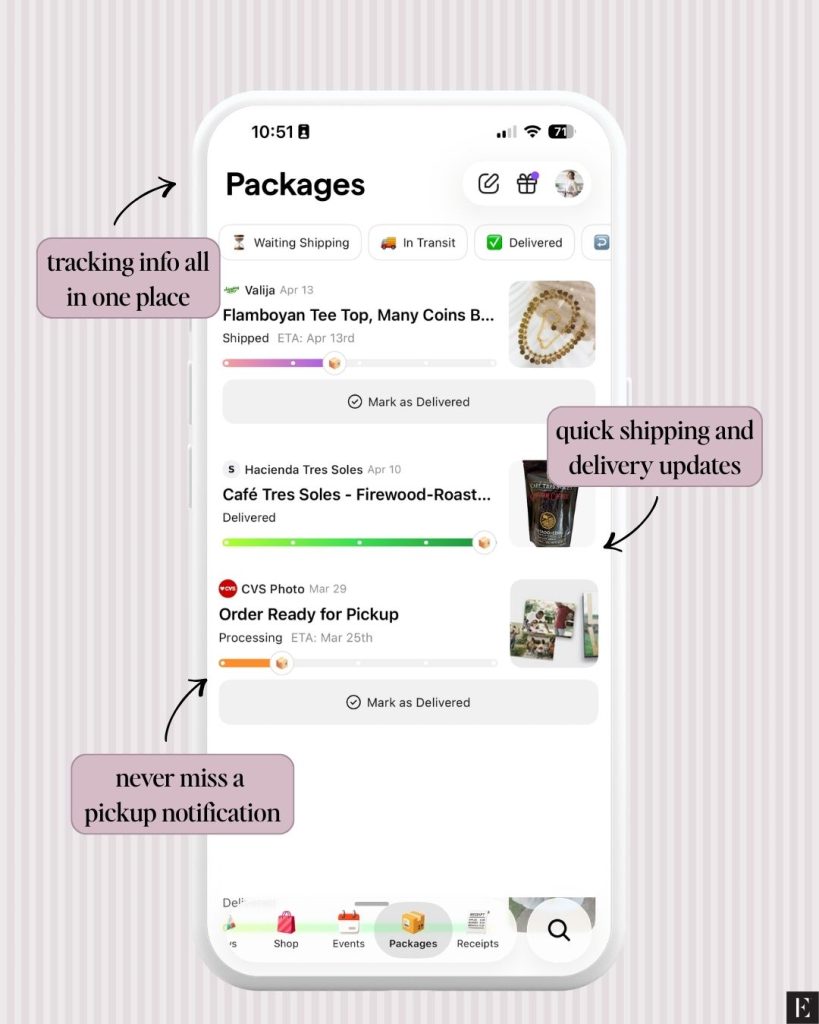
Smart Categories automatically sort emails into sections like personal, events, packages, travel, shopping, news, and more
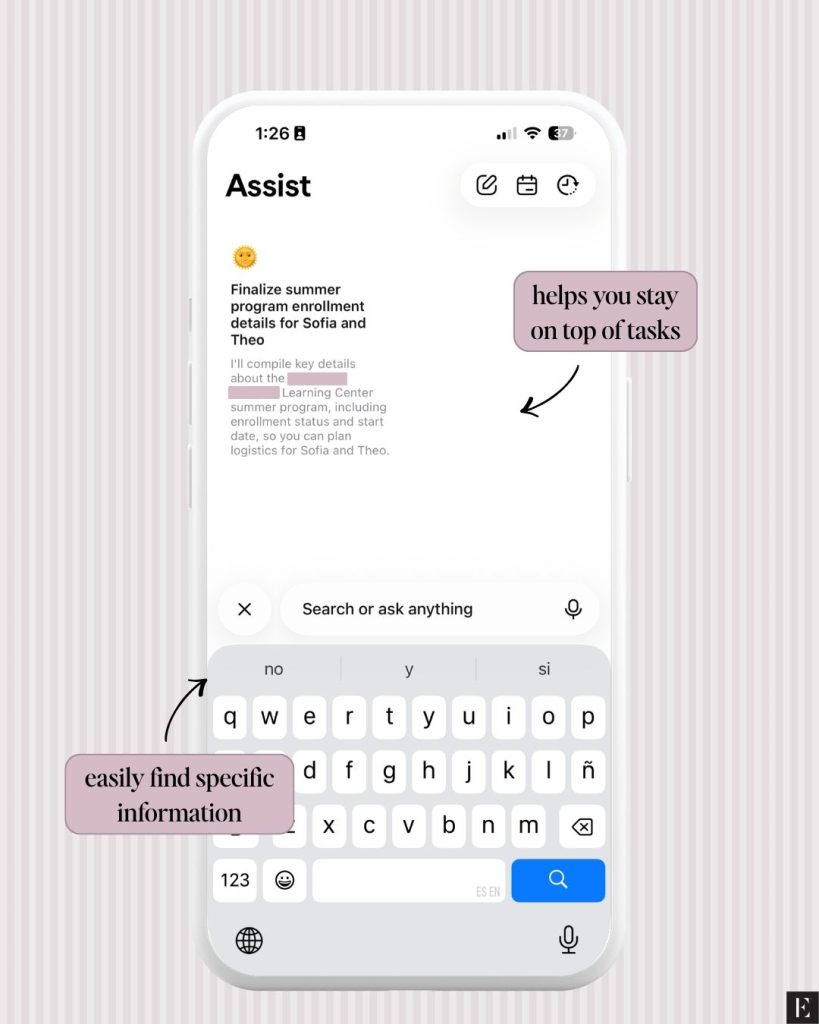
Smart Search lets you ask real questions instead of keywords
So instead of digging, I can easily see upcoming school events or whether an order is ready for pick up. I can also use the search bar to ask specific questions like “When is my son’s doctor’s appointment?” or “What time is the soccer game on Saturday?” and actually get a clear answer right away. It’s one of those features that quietly saves you a ton of time without you even realizing it.
Acts like a personal assistant
There are so many moments in motherhood when I need to respond to something quickly, but my hands (and attention) are already full. That’s where Extra really starts to feel like a second set of hands. With Voice Composer, I can speak my response out loud, and it turns into a polished email. And with that and their Smart Assist feature, I’ve been able to:
Quickly draft RSVPs
Pull together info and questions before appointments
Stay on top of emails I would’ve otherwise put off
And once you’ve used it a couple of times, it recognizes your voice and word choice to ensure your response genuinely sounds like you—not some bot or automated reply.
As all moms know, managing a household means constantly keeping track of details, and there’s always that low-level stress of wondering what you might be forgetting. Extra helps quiet that mental noise. It doesn’t just organize your inbox—it helps carry some of that invisible load. Instead of feeling like everything is on me to remember, I feel supported by a system that actually surfaces what matters. And that shift—from overwhelmed to more in control—has made a real difference in how I move through my days with more presence and ease.
How to get exclusive access to the Extra app
Extra is still pretty new and currently invite-only, but they’ve given The Everymom readers exclusive access. Here’s how to get started:
Connect your Gmail account (you can add more than one!)
Let it sync and start exploring
A few things to note:
The code is active starting 4/14 and limited to 500 uses
Extra is currently available on iOS and web browsers only
It works with Gmail accounts (not Outlook or Yahoo yet)
At the end of the day, moms are carrying a lot, mentally and emotionally. Having something that actually helps reduce that invisible mental load, even just a little, can make a meaningful difference. And for me, this has been one of those tools.
Since becoming a young mama in 2020, Steph finds joy in creating beautiful yet relatable stories surrounding the raw realities of motherhood. She uses her real-life experiences and eight years of marketing expertise to produce authentic branded content that aligns with our reader’s interests.
McKenna Pringle, Assistant Editor of Branded Content
As the Assistant Editor of Branded Content, McKenna collaborates with our sales team by creating both written and social media content, collecting and analyzing performance data to report back to our partners, and assisting our editors with their everyday tasks to ensure a smooth and productive process.
This post is sponsored by Extra but all of the opinions within are those of The Everymom editorial board. We only recommend products we genuinely love.