


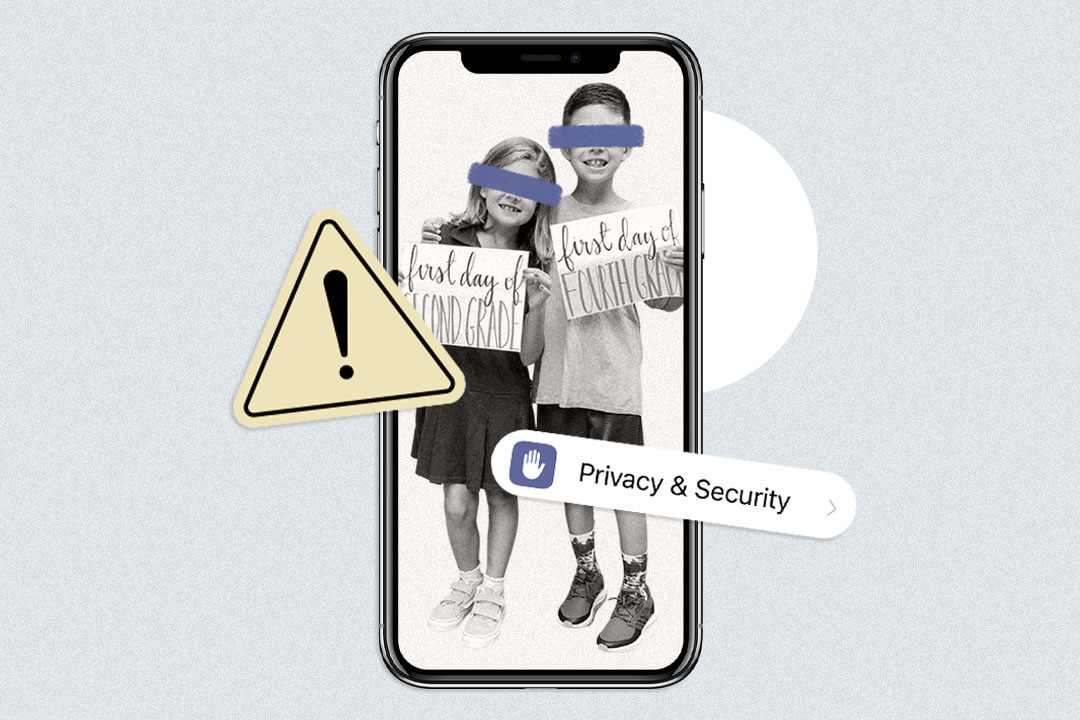
I love back-to-school time—the new clothes, the excitement of another school year, and, yes, I even love the plethora of back-to-school photos that flood my social media feed. But I have noticed many parents not only posting pictures of where their kids go to school, but also sharing the name of their teacher, even their classroom number. To be fair, I’ve been posting my kids online since they were born. But in the interest of protecting their privacy, I am mindful of what I share and leave out personal details whenever I can.
Let’s be honest—parents have a lot to think about in terms of safety this school year, online and in the real world. We’re trying to keep our kids safe on the way to and from school, whether they’re walking, taking the bus, or biking, while also allowing them some age-appropriate independence—something I’m trying to lean into after reading Jonathan Haidt’s book, The Anxious Generation. Keep reading for some top back-to-school safety tips for parents.
Mind the details in your first day of school photos
One study found that parents share an average of 300 photos of their kids or posts with sensitive information about them each year. Dangers of posting this information range from identity theft to privacy concerns to worse: their photos ending up on inappropriate websites—which will churn any parent’s stomach. Plus, why does the guy you went to high school with or a fellow mom you met once need to know exactly where to find your kid on any given school day?
Like many parents, we take the obligatory first-day-of-school pictures on our front porch. Something about it seems like such a rite of passage. We even do the hand-lettered chalkboards and fill in my kids’ ages, what they want to be when they grow up, what they love—you get the idea.
But what do I always leave off these boards? The names of their school, teachers, room number, or any other personal details. And when I post pictures throughout the year, I never post pictures of them inside their school or wearing school gear or those that show our house number, street name, or name of our community or neighborhood.
Check your phone’s location settings
Sure, I post pictures of my kids having fun at a new playground we stumbled upon in our neighborhood, on our front porch, or walking to our bus stop. But I never use geotags—and I make sure any discerning details, like house numbers or street names, aren’t visible.
While it may be fun to see if others have posted in the same location, when you look at the number of followers or friends you have on any specific platform, ask yourself this: Do 500 people I casually know need to know exactly where I am with my kid right now, where I live, or worse, the exact location of their school?
“Ask yourself this: Do 500 people I casually know need to know exactly where I am with my kid right now, where I live, or worse, the exact location of their school?”
This is only complicated by new features like Instagram Maps. Using this feature, you can share your last active location with friends. While you need to opt-in to use Instagram Maps, as a mom, it still raises some safety concerns. Especially as some internet safety experts were raising the alarm that Instagram Maps was turned on automatically for some users, even though the company says it’s off by default.
In short, it’s always good practice to do periodic online privacy check-ups and check your location settings before posting.
Consider personalizations
When my first son went to preschool, embroidered backpacks from Pottery Barn were the back-to-school item. As such, one of my first buys was a red backpack and a matching lunchbox, embroidered with his first name.
But after that first year, I realized something. Having my son’s name on the back of his backpack made it super easy for a potential stranger to get his attention and possibly even make him feel a false sense of security since they already “knew” his name. Today, I don’t put their names on the outside of their backpacks or have them wear clothing with their names on it, as adorable as those hand-embroidered items are. Instead, I use back-to-school labels inside their coats, backpacks, and other school supplies.
Keep your car generic
If you do carline for your kids, you probably have a hangtag or sticker that you’re expected to display when you pick them up. It streamlines things for the staff working the carline, makes it easier to spot a parent’s car, and is generally convenient.
While we have had those hangtags in the past, I kept them in my glovebox and only displayed them once I was actually in the carline. I didn’t like the idea of going to any public place, especially when my kids were with me, and having any stranger passing by be able to discern which school they went to.

Monitor your kid’s online activity on devices—even school Chromebooks
A new school year comes with new interests for your kiddos. For us, it was Minecraft. For others, it might be Roblox. In our case, one of my son’s besties started playing, which naturally piqued their interest. While I allow my sons to play the game and even allowed them to see The Minecraft Movie (though I’m still not convinced it was appropriate for a 5- and 7-year-old), I put some parameters in place. For one, they can only play in offline mode. I also disabled the chat option, and they only play in shared spaces in our home, not bedrooms.
I’ve stressed to them that there are some “tricky” people online—not that they are necessarily good or bad, but that we don’t know them, so it’s hard to tell if they’re good or bad. I tell them that if anyone sends them a chat, to come to me, and they won’t get in trouble; we’ll just adjust the game’s settings. (Also worth noting: based on what I know about it, Roblox is a hard no in our house.)
The same goes for YouTube Kids. My kids love it; they are only allowed to watch it on our one shared TV. And if I hear something that I don’t like, we have a code word that means they have to turn the video off immediately.
School devices can be compromised, too
If your kid gets an iPad or laptop via school, that’s another device to monitor. We set limits with our kids in terms of how long they can access these online games—and if they violate them, they lose use of them the following day. So far, it’s worked well, but other parents have reported kids figuring out how to work around the settings to watch things they shouldn’t in school and at home. Giving parents yet another reason to keep a close eye on their kids’ online activities.
Look toward the future
We also have identity theft protection for both our kids. While it may seem like overkill, one study found that one in 50 children are victims of identity theft or fraud. What’s worse, many parents don’t even realize it’s happened until their child is old enough to get their own bank account or credit card. By then, the damage is already done.
Final thoughts
In today’s world, it’s nearly impossible to stay offline or ignore it altogether. So while I’d love to keep my kids internet-free, that just isn’t realistic. Instead, I try to teach them safe ways to use the internet while also setting examples of how to share online safely. Am I doing it perfectly? No. But I feel pretty good about my current privacy settings, pun intended.
Related Stories:

Rachel Morgan Cautero, Contributing Writer
Rachel is a full-time freelance writer based in Ponte Vedra, Florida. When she’s not busy wrangling a toddler, preschooler, and one very stubborn French bulldog, she’s writing on all things personal finance and parenting. Her work has appeared in The Atlantic, Forbes, Parents, The Balance, Yahoo Finance, Truly Mama, SmartAsset, HerMoney, and DailyWorth.
