


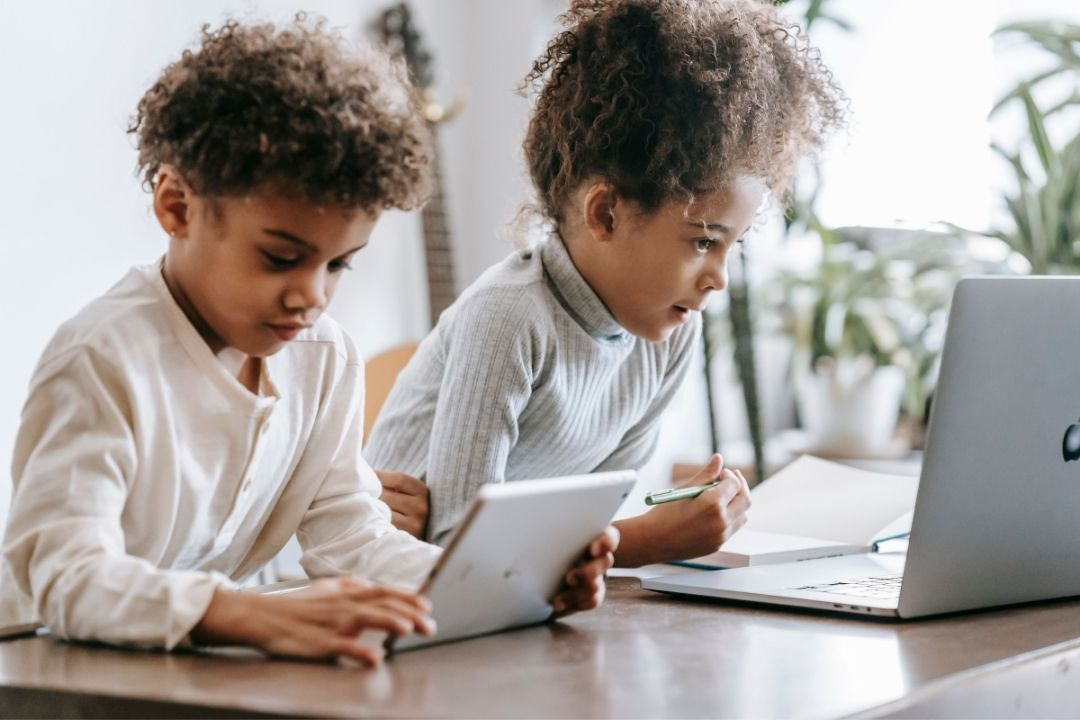
As a millennial mom who grew up with typing classes and dial-up Internet, I had a hard time wrapping my head around how deeply iPads, laptops, and educational technology have made their way into the classroom. And when I started working with my then-5-year-old on a platform our district uses to evaluate reading and math skills—and witnessed animations tacked on to each lesson—I realized I had no idea how much time my own child was sitting in front of a screen at school.
There’s no denying my kids are surrounded by screens. Devices are incorporated into my family’s everyday life. Whether that’s streaming a movie for family movie night or ordering Friday night takeout online—technology and screens are integrated into mostly everything nowadays. As a parent, I’m trying to walk the line between wanting my kids to be digitally savvy—while also wanting teacher-led instruction to stay the norm.
And factor in concerns over some students’ access to YouTube and scrutiny facing the EdTech industry—with concerns over cyberbullying in email threads, nonstop notifications, and students struggling to focus in class—and I can see how more screen time is fueling a national debate over devices in school. Plus, for younger children especially, research shows excessive screen use can lead to emotional and behavioral problems: tantrums, aggression, and meltdowns.
I know I’m not the only parent worrying about my child’s screen time at school. In my personal life, I started noticing my news feed full of stories about parents pushing back against more and more screen time during the school day. And I’ve watched some of that pushback translate into change across the country. But what should parents really know about their kid’s screen use at school, and what questions should they be asking?
I turned to two experts, Superintendent of Marietta City Schools Grant Rivera and M. Daniele Fallin, Dean of the Rollins School of Public Health at Emory University in Atlanta. Here, they explain what screen time can look like at school, what questions parents can ask, why schools use EdTech, and more.

Grant Rivera, Ed.D, Superintendent
Grant Rivera has been the proud Superintendent of Marietta City Schools since 2016. He is a career educator who has served as a principal, teacher, and coach prior to becoming superintendent. He is humbled and honored to be leading Marietta City Schools, where the district serves as a state and national model for innovation and the science of reading.

M. Daniele Fallin, PhD
M. Daniele Fallin, PhD, is the James W. Curran Dean of Public Health at the Rollins School of Public Health. Fallin’s globally recognized research focuses on applying genetic epidemiology methods to studies of neuropsychiatric disorders, including autism, Alzheimer’s disease, schizophrenia, and bipolar disorder, and on developing applications and methods for genetic and epigenetic epidemiology, as applied to mental health and development.
What screen time can look like in schools
In the context of school, ‘screen time’ typically refers to students using digital devices and educational technology as part of the educational curriculum. Some examples of screen time in the classroom include digital math lessons tailored to the learning level, apps focused on phonics, virtual labs, and more.
Fallin states that one reason behind screen use in schools is wanting students to be competent in using a computer or certain software. However, the American Academy of Pediatrics points out that not all technology should be treated equally. The APA states, “Well-designed technology, which has an educational curriculum without gimmicks, distracting elements, or features to prolong engagement, can yield positive outcomes when integrated thoughtfully by teachers,” and that if “teachers have the right support to help it complement other classroom teaching practices, it can enhance learning experiences.”
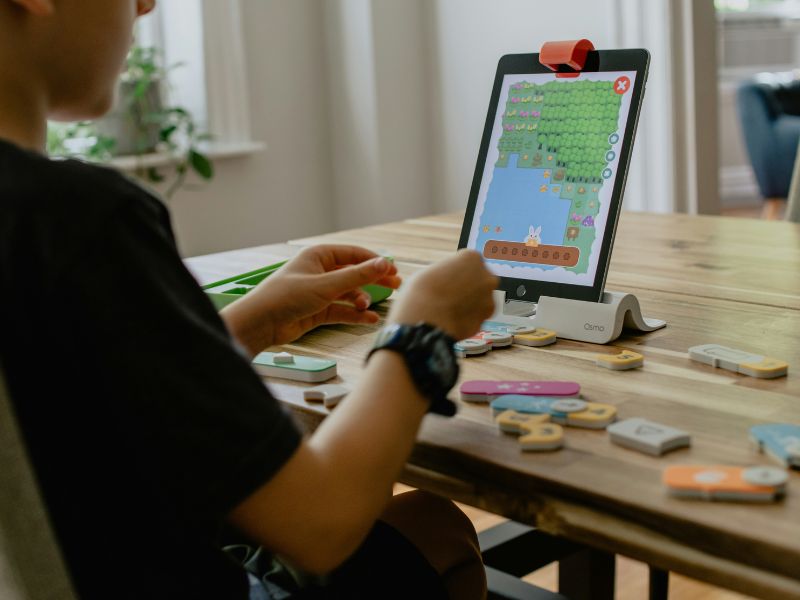
The surge of devices in schools
During the time of the COVID-19 Pandemic, Rivera reflects, “I think we, out of necessity, opened screens. Teachers leaned in,” in order to stay connected to their students—with almost 80% of American schools pivoting to online learning. But even as face-to-face learning returned, Rivera says more and more resources became “baked inside of technology.” In the years since, he believes the pendulum around screens swung “to a dangerously far extreme.” Now, “EdTech might be the first resource that people put in front of kids during the school day.” Rivera has seen this shift both as an educator and as a parent. According to the Institute of Education Sciences, currently, 88% of students in the U.S. receive a school-issued device, such as a laptop or tablet.
“88% of students in the U.S. receive a school-issued device, such as a laptop or tablet.”
How much screen time are kids actually getting at school?
With this lean toward EdTech in the classroom, should I be concerned? “My kids weren’t coming home with a paper worksheet,” Rivera says. “They were being given a worksheet in a game that they did online … and while my kids might have enjoyed it, the reality was the screen was open more than it had ever been before.” No matter the tool, Fallin says schools should be able to explain why they’re using a given device or platform in the classroom.
If you know your child’s curriculum includes EdTech, you may have one question on your mind. How much screen time is my child actually getting in school? Here’s the thing: exactly how much time students spend on screens can be tricky to pinpoint. According to a 2021 EdWeek Research Center survey, 55% of teachers say students spend between one and four hours a day using EdTech. Alternatively, a 2025 Lightspeed Systems report indicated that the average K-12 student spends 98 minutes a day on devices in class. In both reports, screen time varies by grade level.
What the APA recommends for screen time learning
Although experts have not set screen time guidelines for schools, the Department of Education encourages teachers to prioritize active screen time over passive screen time. Parents should be aware that active screen time encourages critical thinking (i.e., coding, immersive simulations, peer collaboration, etc.). Passive screen time involves limited student engagement and less reflection or imagination.
Since screen time can look different for every age, the APA recommends factoring in the quality of interactions. Not just the amount of time spent on the screen. With that said, caregivers and educators should consider the content, the context, and interactivity. Steer toward content that encourages learning, social connection, and creativity. When it comes to context, experts advise that co-viewing media or co-playing games can be a safe way to engage with screens. This develops parents’ trust in applications—so they know exactly what and how their kids are interacting with technology.
What some schools are doing to reduce screen time
Beyond parental monitoring, there are schools making an effort to protect their students when it comes to screen time.
The Los Angeles Unified School District banned screen time for younger kids and is imposing time limits for older students. New York City classrooms are now rolling out changes to reduce screen time, too. They’ve also established a one-year moratorium banning student-facing AI for students through 8th grade, including chatbots and AI tutors. And it’s not just major cities making moves. Some states have passed or are evaluating legislation centered on screen time limits. But while some schools are pivoting policies, such change is not happening across the board (and the solutions vary, too).
We’re now seeing efforts to course-correct. In recent years, concerns over student mental health have led to dozens of states implementing cell phone restrictions in schools. Rivera says the conversation has pivoted to overall screen use, too.
His school district in Marietta, Georgia, is among those implementing a new policy. Devices will now be “closed by default and opened with purpose,” with the idea that technology should support learning, not replace it. “A Chromebook should only be used,” Rivera says, “when it can do something a teacher can’t.” For instance, the device could help multilingual students translate a lesson. Or maybe students need Chromebooks open for online research. The goal is that the technology is a supplemental tool, not a substitute for a teacher.
“The goal is that the technology is a supplemental tool, not a substitute for a teacher.”
Questions to ask your child’s school about screen time
Fallin encourages parents to ask educators or their child’s school for the exact reasoning for screen time use. “We want to think about how we limit access to certain sites, to types of games, to total cumulative screen time,” Fallin explains. “What kinds of technology are they putting in place on these devices that allow parents and the school to have some control?”
Not sure how to address screen time use in the classroom? Here are some questions to ask your child’s school:
How does my child’s teacher use technology in the classroom?
If you’re like me and trying to learn more, this is the overarching question to tackle first. Expect a range of responses depending on your child’s age and grade level. For example, a kindergartener learning to read is going to be using tech and educational platforms differently than a teen.
What devices and platforms does my child use in the classroom?
Teachers use a wide range of devices and platforms in the classroom. Devices can look like Chromebooks, iPads, laptops, and other tech like SMART Boards and STEM Hardware. Knowing what is being used gives parents peace of mind. It also encourages them to learn more about what each platform does and how it aids in their learning.
Is screen time for group instruction, or are students using devices independently?
Knowing whether teachers use screen time for group instruction or independent work can help parents determine whether the platform qualifies as active or passive screen time.
Are guardrails in place to keep students only on approved sites?
Another concern for parents is whether or not guardrails are in place to prevent kids from opening unapproved apps. Do kids have access to the Internet, YouTube, or video games? In fact, the Hechinger Report, which covers topics related to U.S. education, reported that “even the youngest students are finding ways past any blocks adults try to put on school devices.”
Kids have found ways to watch YouTube, communicate through Google Docs, and share inappropriate content. In addition, students have been found to be using “proxy servers to bypass filters and blocks.” In addition, “They are hiding games inside of school-appropriate websites.” Ask what guardrails are currently in place (if any), and if students are breaching them. And if they are, then ask what the school or district is doing to combat these issues.

Does the school have any set policies or guidelines when it comes to screen time use?
As of right now, policies and guidelines aren’t uniform across the country. Staying knowledgeable about what individual guidelines are in place can help parents and students abide by them. Plus, if caregivers are aware that policies are lacking, it opens up the discussion on whether or not stricter guidelines are needed—or if what’s already in place is working.
If you think it’s hard to keep up with all the changes, you’re not alone. Maya Mechenbier is a parent in Washington, D.C. Mechenbier volunteers with Schools Beyond Screens, an advocacy group that has pushed for changes around tech use in the classroom. “If you live in a district that has new or updated technology guidance,” Mechenbier says, “It might be a good idea to ask what it means for your child’s class and what changes you can expect.” Separately, if you’re not hearing much discussion of the issue, Mechenbier says chatting with other parents and comparing experiences can be a good starting point for information, too.
What student data does the school collect?
One Texas school district is monitoring students’ internet activity on district-issued devices. Parents can track this information as well, with additional controls when their child is at home. However, this type of monitoring can look different from school to school. Ask what student data is currently being collected, if any.
Are teachers using AI in the classroom?
Another concern with screen time is the use of Artificial Intelligence, also known as AI. Fallin shares that another reason why children may encounter screen use is “to understand how to use AI or understand how to distinguish and discern truth from [untruth].”
But it also begs the question: “If teachers are using AI in the classroom, what does that look like?”
Parents may be concerned about how AI affects their learning. For students using popular AI platforms like ChatGPT for writing assistance, research shows there’s a decline in analytical reasoning, critical thinking, and decision-making. As a parent, this type of AI has a negative impact.
“For students using popular AI platforms like ChatGPT for writing assistance, research shows there’s a decline in analytical reasoning, critical thinking, and decision-making.”
If AI is used in the classroom, Assistant Professor of Education at Harvard and an expert in Artificial Intelligence in education, Ying Xu, states that educators need to focus on how AI can make learning more enriching and engaging if it’s being used. For example, she and her team collaborated with PBS Kids to integrate AI into their programs, “allowing children to have science-related conversations with media characters,” and this interactive approach served as a learning aid—but didn’t replace it.
Can teachers offer paper-based alternatives for certain lessons?
When I first started thinking about this issue, I wondered whether ‘opting out’ of certain technology was my only option. And honestly, the idea seemed daunting. But it was encouraging when Mechenbier told me there may be simple swaps. “One thing we’ve learned is that often devices are used for independent in-class time or as part of small groups or centers,” she says. “So it might be easy enough for the teacher to offer paper worksheets or read a paper book during that time without kind of disrupting the class dynamic.”
Hearing about another simple switch also encouraged me. My family’s own elementary school is buying board games and card games. Teachers are using this for kids to play with during morning arrival time instead of immediately turning on iPad-based lessons. Analytical thinking and peer-to-peer interaction equal one happy mom!
How can I support my child and their teacher?
Now that you’ve asked the questions, how can parents support their child and their teacher? Let’s face it: teachers are always in need of more hands, and offering some time to make copies is helpful. “[Volunteering] can be a great way to not only support teachers but also just see what your child is experiencing in the classroom,” Mechenbier notes. Hello, math and reading buddies! Similarly, teachers who are trying to navigate new policies around screen time might also need additional supplies or in-classroom support. However, that isn’t the only way to be supportive.
Changing policies and setting guidelines doesn’t happen overnight. The APA encourages parents to role-model what appropriate screen time looks like, too. Consider designating screen-free times and places. Most importantly, the screen-time conversation doesn’t stop with your child’s teacher or school district. Parents should also have ongoing conversations with their kids. Talk about the technology they’re using, how they’re using it, and ways to navigate it safely.
If you’re looking for a little reassurance as you approach these conversations, take heart that you don’t have to figure everything out on your own. “This is a partnership,” Fallin says. “We as parents have to make wise decisions. We do that in partnership with our education professionals and our health professionals as we learn more about what’s best. The fact that you’re even thinking about this and worried about this for your child means that you’re doing what you’re supposed to do as a parent. So, give yourself grace.”

Liza Lucas, Contributing Writer
Liza Lucas is an Emmy-winning journalist and Atlanta-based freelance writer with more than a decade of experience reporting stories for television and digital audiences. Her work now focuses increasingly on features, culture, families, and community.

Patty Schepel, Associate Editor
As the Associate Editor, Patty works with The Everymom’s team on pitches, creating original articles, updating existing content, photo sourcing, writing shopping product descriptions, editing freelance articles, and more. With Patty’s passion for writing, experience as a mother of two, and expertise as a pediatric nurse, she brings a thoughtful and informative perspective to The Everymom.
