I didn’t truly know mom anxiety until last school year when my pre-kindergartener and first grader had to ride the school bus alone for the first time. What if they got scared? What if the bus broke down and they had no way to call me?! I obviously spiraled a bit. I’ve always been firmly in the “kids shouldn’t have smartphones” camp (still am!), but I couldn’t fathom not being able to reach them during the hour-long ride back home. My solution landed us somewhere in the middle.
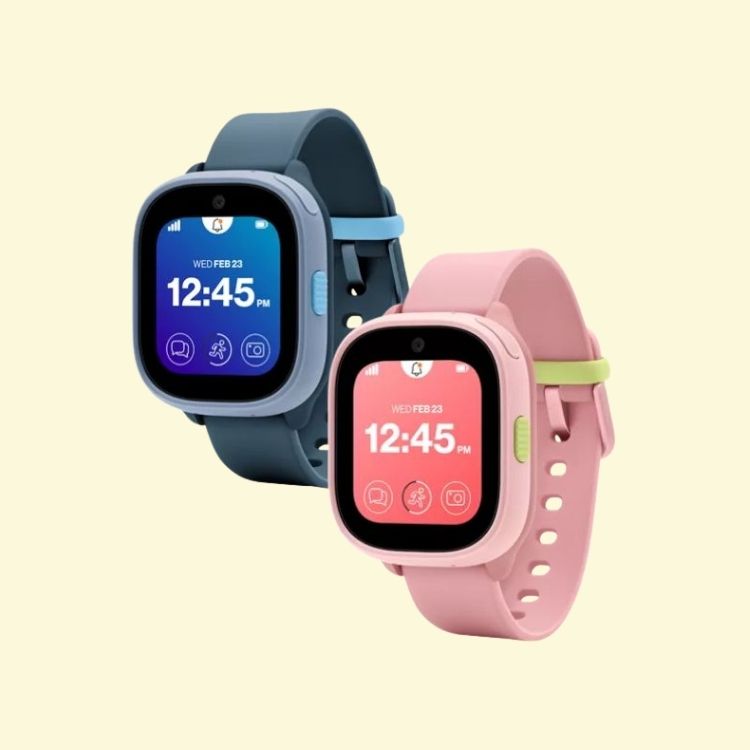
With my boys riding the bus, playing sports, and building a blossoming social life, I needed the benefits of staying connected without giving them a tiny portal to the unmonitored internet. A modern version of walkie-talkies, if you will. That’s where the Verizon Gizmo Watch 3 came in last school year.
After a full year of using it, I can definitely say it was totally the solution we were looking for—and my kids actually loved having a way to check in with us. There were no “Mom, you’re being annoying!” allegations in sight. But we also ran into a couple kid-related issues with the Gizmo Watch 3, namely, “Where did you put your watch?” and “Why is your watch at 12 percent?” So now that the new Verizon Gizmo Watch 4 has come along with updated features that address those exact problems, upgrading felt like a pretty easy decision. Here’s a breakdown of both Gizmo Watches from someone who actually used one long-term:
Why we opted for a Gizmo Watch over a smartphone in the first place
I’m not anti-technology. I’m just very pro-not giving my elementary schoolers a smartphone yet. There’s a big difference between wanting your child to be able to call you and giving them access to social media, internet browsers, endless notifications, and everything else that comes with having a smartphone. So, the Gizmo Watch 3 (and now the Gizmo Watch 4) gives us the best of both worlds. My kids can communicate with us, and we can keep tabs on their location, but they aren’t exposed to the risks of a smartphone.
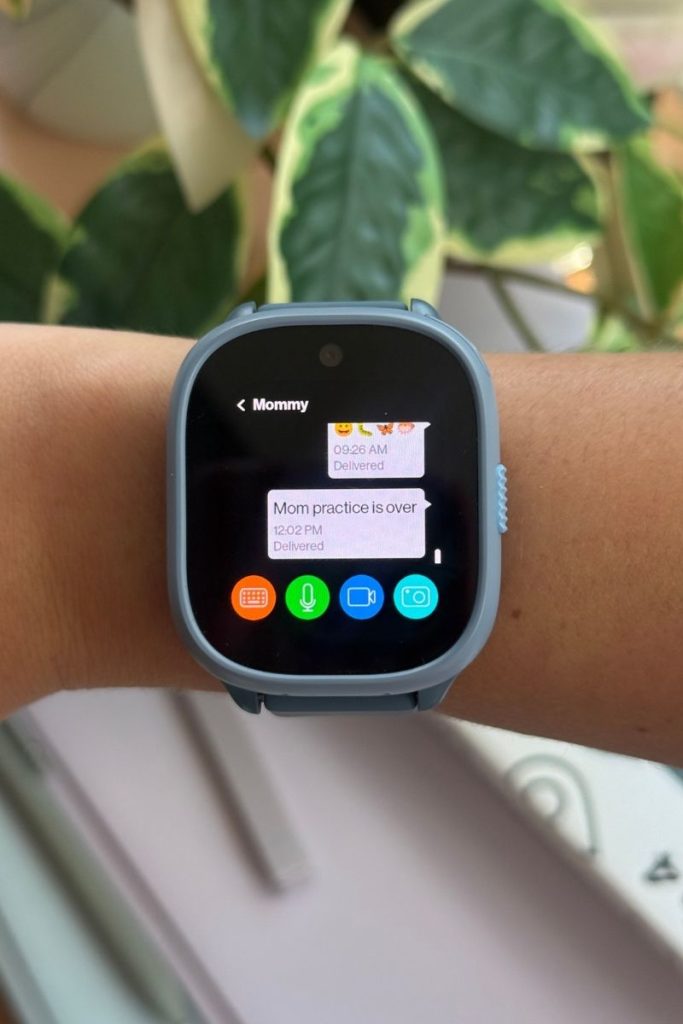
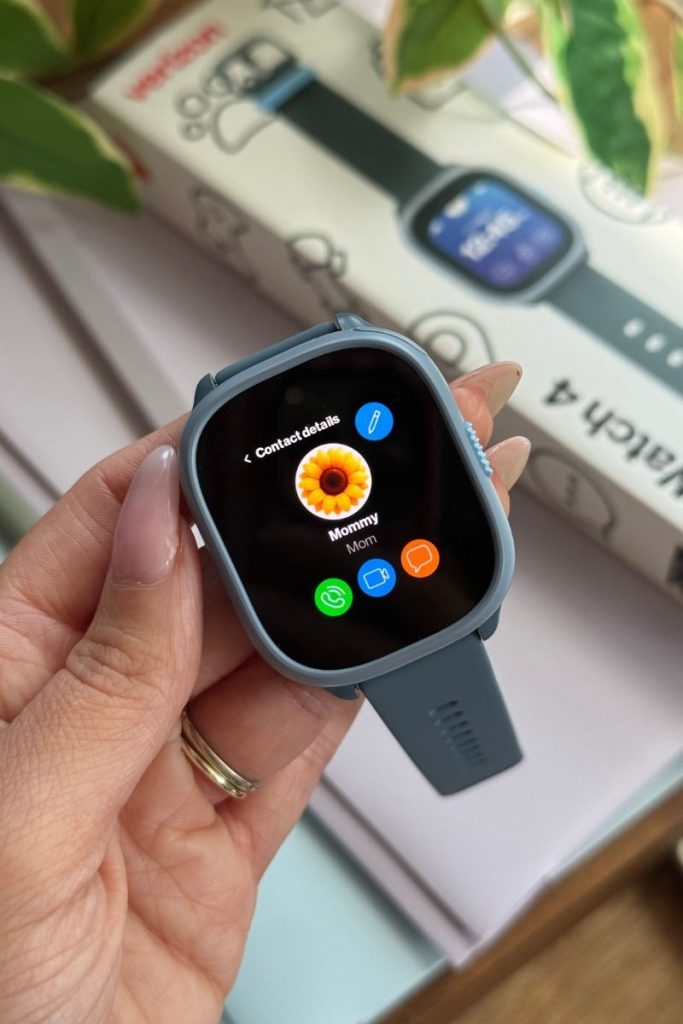
Once school is out, they can check in with us from the bus or an after-school activity by voice or video calling or texting. If plans change, I’ll send them a text or voice message so they know what’s happening when they get out of school. And because I fully control their list of contacts from my device, they communicate only with trusted family and friends, without the risk of random spam calls or messages. Something as simple as switching from the bus to car pickup feels much easier when they can see the update themselves.
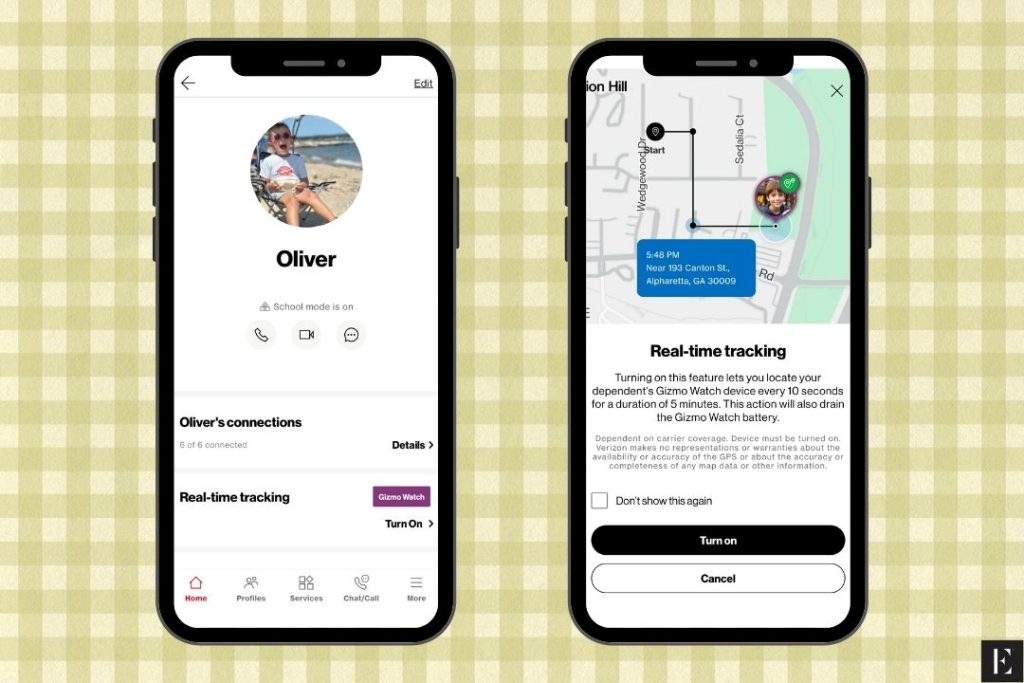
The GPS tracking is especially helpful. I can check their location from the Verizon Family app and get reassurance when they’re at school or activities. With location alerts, I can get a notification when they arrive at school or another designated location instead of constantly opening the app to check. For parents with kids who walk, take the bus, or bounce between school and after-school activities, that little bit of automation can make a huge difference. Then there’s School Mode, which has been a non-negotiable for us. I schedule School Mode to turn on during the school day, so the watch’s features are disabled until classes are over—aside from calls to their primary guardian (AKA me). This way they can still communicate with mom and dad on their way to and from school, but the boys can’t get distracted by their watches during class.
Why we’re upgrading to the Gizmo Watch 4
Of course, there were some moments when the Gizmo Watch 3 reminded me that I was giving tech to my children and not miniature adults. My younger son is the king of taking his watch on and off. He would take it off at the soccer field sidelines, put it in a random bag, leave it in someone else’s car—you name it. There were multiple occasions when we had that frantic “Where is the watch?” moment. But the Gizmo Watch 4 has a solid fix for this, plus a few morenew features that make it even better for younger kids.
The Gizmo Watch 4 upgrades my kids needed
The new updates on the Gizmo Watch 4 provide straightforward solutions to the exact problems we experienced last year while maintaining the features I already loved.
No more “lost watch” anxiety
This is probably the feature I’m most excited about. Watch Removal Detection can alert me if the watch is taken off. This is particularly helpful for my younger son, AKA the child who believes his watch will just magically reappear on his wrist.
If he takes it off in a locker, gym bag, or somewhere else during the day, I can get a notification rather than discovering hours later that his watch has mysteriously disappeared. Considering how many times we searched the sidelines, bags, cars, and random places last year, this is a very welcome upgrade.
Growing social life and after-school carpool
The expanded trusted contacts list (from 20 to now 40) is also helpful as my kids get more involved in activities and spend more time with other families. Last-minute changes happen all the time—someone offers to drive them home, plans change after practice, or pickup turns into the bus. Having more room for trusted contacts makes the watch easier to use as our family’s schedule gets busier.
Extracurriculars and long days away from home
My kids are active, which means their belongings are exposed to a lot more than the average playground. Between sports practices, running around in the wooded areas behind our house, rainy recesses, and trips like ski vacations, I want a device that can keep up with them. The Gizmo Watch 4’s scratch- and water-resistant design means I’m less worried about everyday splashes and outdoor adventures.
The improved battery life is also a major bonus for our family. If my kids are going to use their watches for everything from checking in after school to calling Grandma, I’m eager to spend less time reminding them to charge them.
FAQ: What parents should know about the Gizmo Watch 4
Can kids browse the internet or access social media on the Gizmo Watch 4?
No. The Gizmo Watch 4 is designed without an open web browser, social media, or an app store, which is why it works so well for our family. My kids can stay connected with us without having access to the endless distractions that come with a smartphone.
Does the Gizmo Watch 4 work with non-Verizon phones for parents?
Yes. Parents can download the Verizon Family app on both iOS and Android devices to manage the Gizmo Watch 4, even if their own smartphone plan is with another carrier.
Is the Gizmo Watch 4 worth upgrading from the Gizmo Watch 3?
For our family, yes. The Gizmo Watch 3 did exactly what we needed it to do for an entire school year, and I still think it was a great option for staying connected to kids without giving them a smartphone. But the Gizmo Watch 4 addresses the specific issues we ran into most often: forgetting to charge the watch, taking it off and leaving it somewhere, and needing to connect with more trusted adults.
The longer battery life, Watch Removal Detection, and expanded 40-contact limit make the upgrade feel practical for life with young kids. All in all, it takes a device that already worked well for our family and makes it even better suited to the wonderfully chaotic reality of having two increasingly independent children.
Ally is the mom to two rambunctious boys, ages 5 and 7, and is rightfully referred to as “Chief Household Officer” in her home. You can find her family spending long afternoons swimming in their pool, searching for sea glass at the New England shore, and going on fun outdoor adventures.
McKenna Pringle, Assistant Editor of Branded Content
As the Branded Content Editorial Assistant, McKenna collaborates with our sales team by creating both written and social media content, collecting and analyzing performance data to report back to our partners, and assisting our editors with their everyday tasks to ensure a smooth and productive process.
*$179.99 purchase w/ new watch line on $10/mo Gizmo Watch service plan. Less $180 promo credit applied over 36 mos. Promo credit ends if eligibility req’s are no longer met; 0{40f0060f1cc7598facaf1b434f6d0a1e8173ba316251e02fca15e5d34c4b179f} APR.
This post is sponsored by Verizon, but all of the opinions within are those of The Everymom editorial board. We only feature brands we genuinely love.