


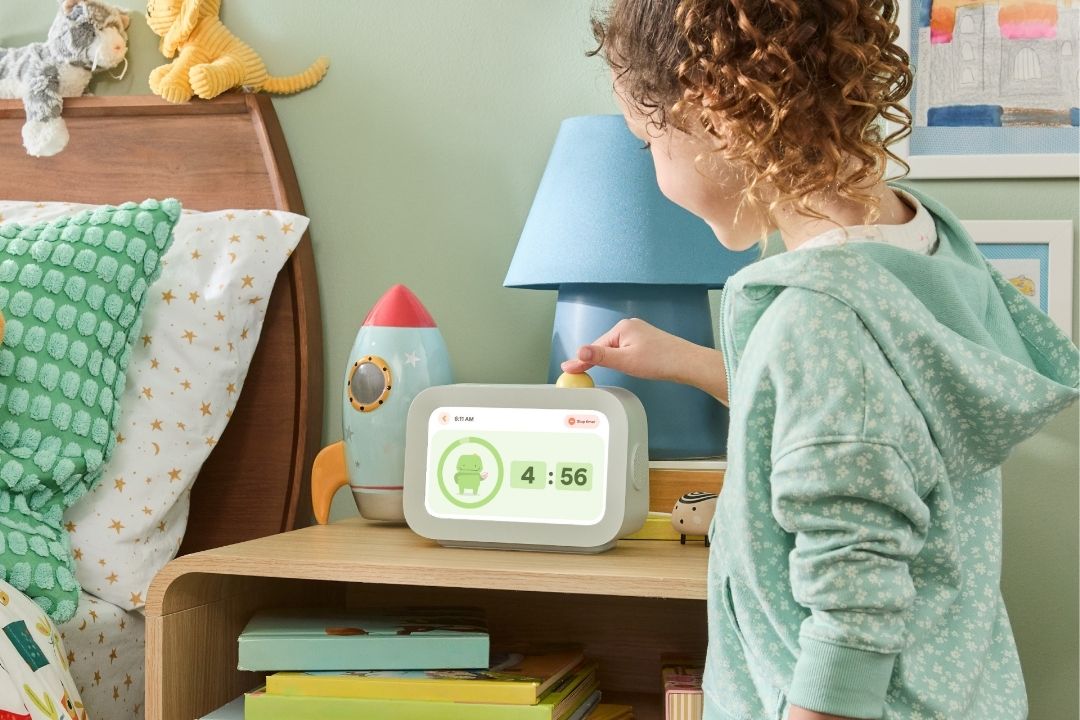
As a parent, I’m always looking for ways to encourage independence for my son. Before we had a Skylight Calendar, I had to remind him a million times a day to brush his teeth, do his homework, or make his bed. So, when I heard that Skylight was launching Skylight Buddy, a new device geared specifically to kids, I was all in.
As Skylight Calendar converts, I can attest to how much that device has helped my family. Having a visual reminder in the kitchen of our daily schedules, to-do lists, and chores is a game-changer. When Skylight offered to send me its new Buddy device to try with my family, I was curious whether it could actually reduce the daily reminders that seem to dominate our school mornings and bedtime.
After testing the new routine device with my family for a few weeks, I can give you an honest Skylight Buddy review. Whether it’s worth the money, what ages it works best for, and all the pros and cons.
Disclosure: Skylight provided a complimentary Skylight Buddy for testing and review. All opinions expressed are my own.
You May Also Like:
- Stickerbox Review: What to Know About The AI Toy That Keeps Selling Out
- Tin Can Phone Review: I Tried It With My Kid—Is It Worth It?
- Is the Toniebox Lite Actually Better Than the Toniebox 1? I Tested It To Find Out
Is Skylight Buddy Worth It?
In one word: yes. But you have to be committed to making it part of your routine. We loved using the Skylight Buddy. My son got very into accomplishing his daily tasks, earning stars, and the (small) rewards that came along with those. He was already used to those routines on the Skylight Calendar so it was an easy transition and exciting for him to have his own device.
The biggest pro for me is that it instills independence for younger kids. They are in charge of their tasks and pushing the button for the accomplishment. I do wish we had had this when my son was a bit younger. At almost 10 years old, he loves it and uses it, but it would have been amazing when we were first starting elementary school. Overall, I would recommend this for kids starting at age 5 and up, when they’re ready to take a little bit of ownership of their daily tasks.
My Quick Take
Best for: Kids ages 5-7 who need help staying on task and working independently.
Pros:
- Easy setup
- Encourages independence
- Fun for kids
- Visual routines
- Alarm clock and nightlight built in
Cons:
- A bit pricey
- Some features only available with an extra subscription
- May not appeal to older kids
What Is Skylight Buddy?
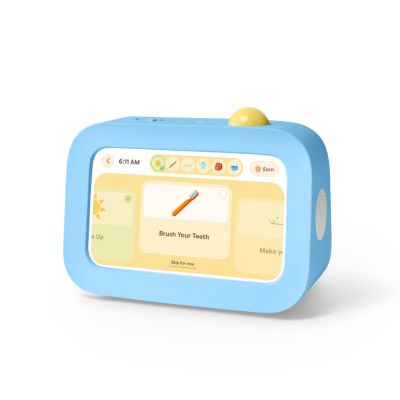
The Skylight Buddy is a new routine device from the Skylight Calendar brand. It’s designed specifically for kids as a sidekick to keep them on track. It’s basically a chore chart in a fun device form that’s just for them.
If you’re already a Skylight Calendar user, you’ll be familiar with the “Tasks” and “Rewards” system introduced. Family members are assigned a profile and can be assigned tasks to complete and earn stars. Parents can then assign rewards to a number of stars. So, for example, if Timmy earns 100 stars in a week, he can get an ice cream cone!
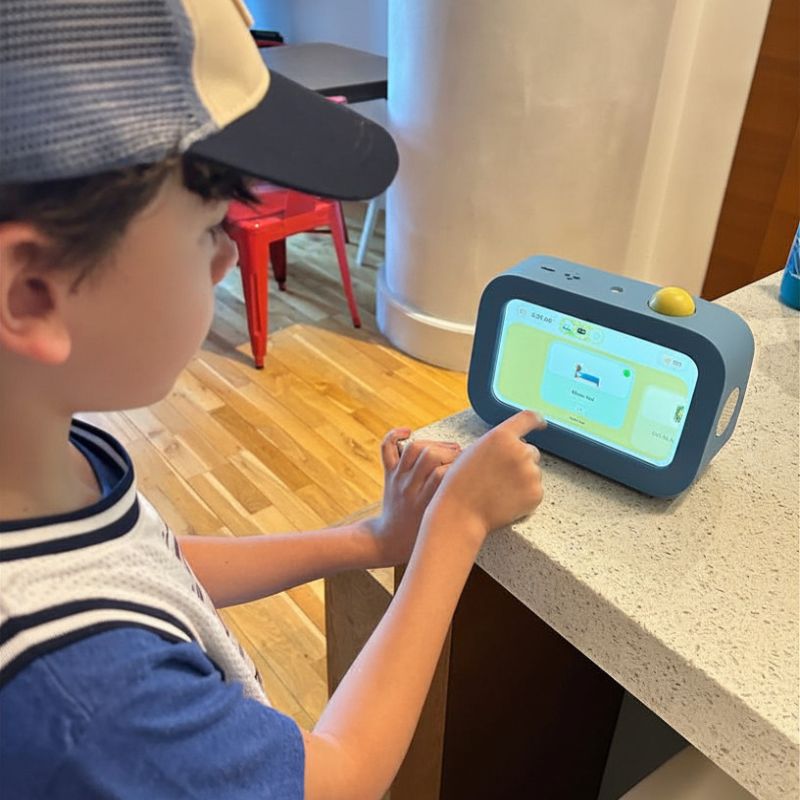
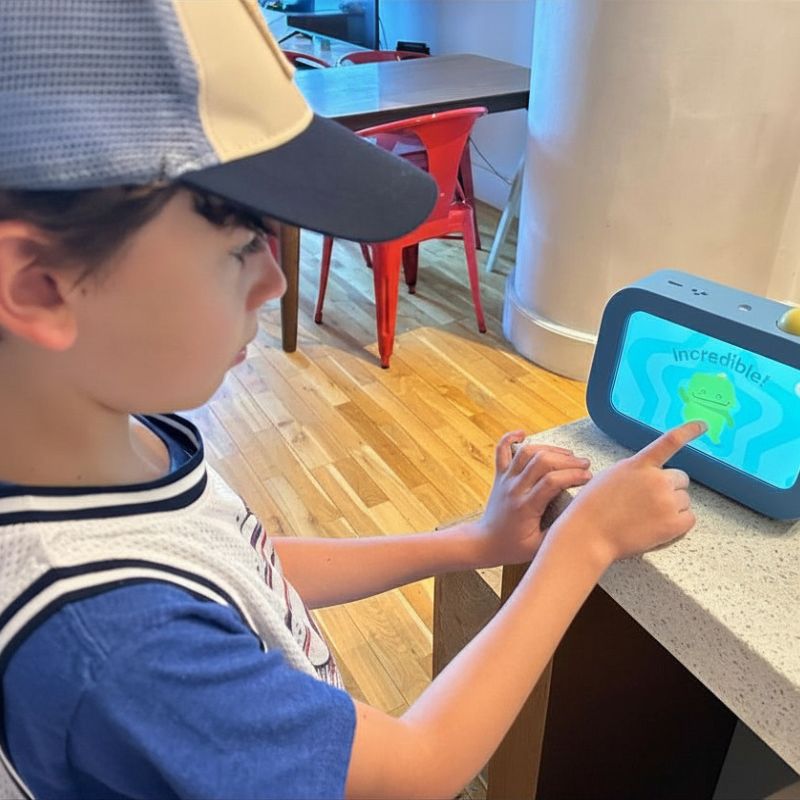
The Skylight Buddy takes that function from the Skylight Calendar as its own purpose. The device looks like an alarm clock showing the time and a checklist. The child can then push the button on top of the Buddy to complete each task. A fun sound plays, and everyone gets excited. So the Buddy acts as the child’s personal device with their task list.
Free key features include the chores and routines list, an alarm clock, and a nightlight. The device can also act as a sound machine and comes with a fun character assistant that celebrates your kid’s wins.
With the Buddy Plus subscription plan, parents can also send out “nudges” that remind the child to complete their tasks. Meaning, no more nagging mom. That’s probably my favorite part. The subscription also includes rewards and the visual timer.
Price: The Skylight Buddy retails for $139, with the price going down to $119.99 if you purchase it with a Plus Plan. The Plus Plan runs $79 per year. If you buy multiple devices for multiple children, you save more ($20 off for 2, $40 off for 3, $60 off for 4).
My Experience Using the Routine Device
My son already loved checking off his tasks on our Skylight Calendar, so when his own device came, he couldn’t have been more excited. That might have been my favorite part of setting this up because he couldn’t believe he was getting his own little system.
He immediately opened it and asked me to set it up on the app where our calendar was already linked. Getting it set up was really easy. We just plugged it in and followed the instructions to add the Buddy to our existing Skylight account on the app.
I’ve found that having his own stand-alone routine device has helped him stay on task. He’s eager to click a button and have his little character make the sound that he completed a task. It has definitely reduced the number of times a week I have to beg him to make his bed or take out the recycling.
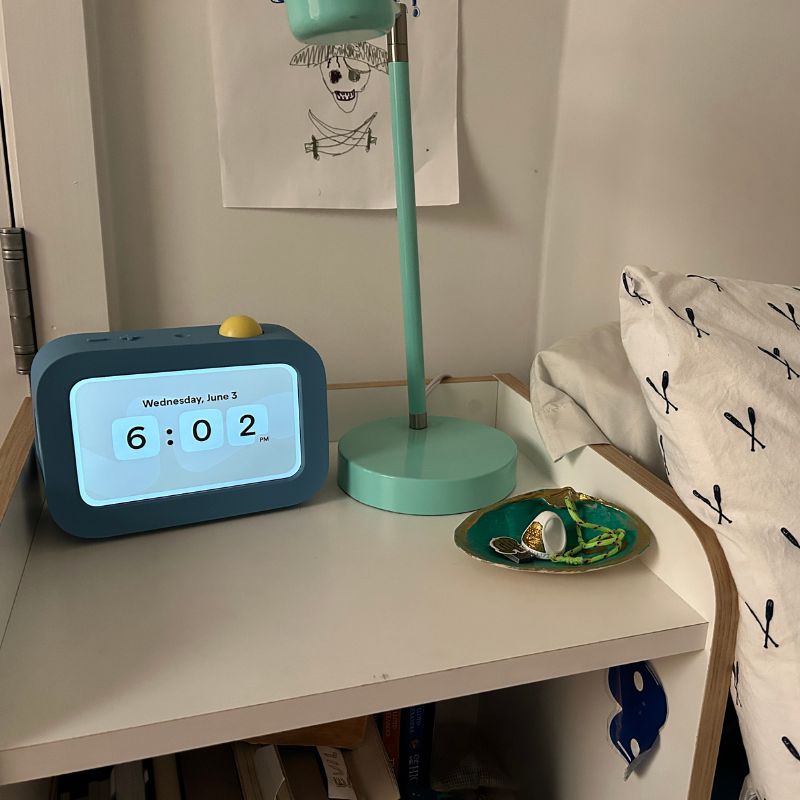
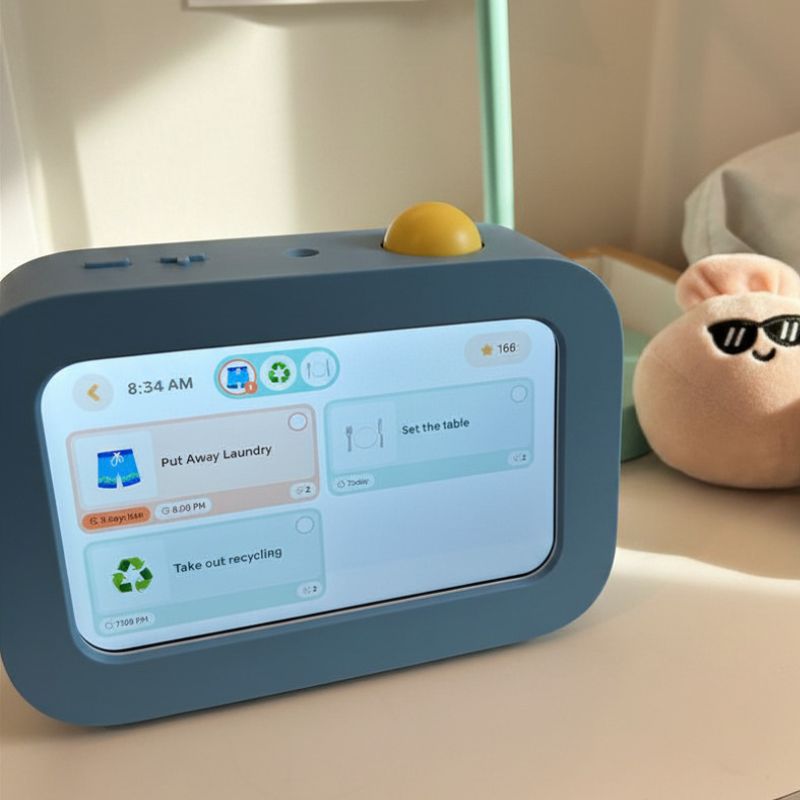
I’ve even found that chores and routines happen without me having to ask, which is a first for me. While we do have a reward system attached to earning stars, I think his motivation is having something that he does on his own and is independently monitoring.
What I do wish is that he had a Skylight Buddy when he was younger. At almost 10, he’s on the older end for the device, and it’s something I feel a younger child would benefit more from.
Skylight Buddy vs. a Traditional Routine Chart
We had tried everything before our first Skylight device. I was literally printing out chore charts weekly. What works best here is that it’s something he feels is his own. This is not Mom’s chore chart, it’s his Buddy, and he is in charge of it.
Being able to adjust his task list on the app regularly is also so helpful.
My Final Verdict
My final verdict: this is a great device for a younger kid. If you’re just starting preschool or kindergarten it’s a fun way to keep kids on track independently. It does feel slightly young for my 9-year-old, but he loves it, and it makes him feel like he’s in charge of his day.
I would definitely recommend this to a friend if they were on the fence. Especially if your family is already familiar with the Skylight world, it’s a great addition to your day-to-day.
It’s also so cute and makes a fun gift for littler kids without feeling like “I’m giving you something so that you actually do your chores.”
Frequently Asked Questions About Skylight Buddy
What age is Skylight Buddy for?
The device is designed for kids ages 4-10, but in my experience, this product is best for ages 5-9. At 9, my son felt a bit on the older side for it, but he does love using it. I could see it being very helpful in K-3 grades.
Does Skylight Buddy require a subscription?
It does not require a subscription, and many of the features are accessible for free: task list, alarm, and sound machine. You do need the Plus plan to use the reminders, rewards tracking, and visual timer.
Can multiple children use Skylight Buddy?
Each child needs their own Buddy to keep track of their tasks.
Does Skylight Buddy work without the Skylight Calendar?
Yes! You can use the Skylight Buddy without having a Calendar. If you already have a Calendar you can connect the profiles, but even without one, the Buddy fully functions for chores, alarms, and other features.
Is Skylight Buddy worth the money?
This really depends on each family. In my experience, it makes a great kids’ gift at a good price point and works really well for our only-child household. I found it worth the money for my experience.

Roberta Correia, Editor-in-Chief
Roberta is an editor with 10+ years experience in content strategy and brand building. Before joining The Everymom she was Editorial Director at Brides and previously served as Digital Editor at Women’s Wear Daily. She grew up in Brazil and currently calls Brooklyn home with her son, Lucas.
